Lumora: the offline life planner for tasks, diary, notes and money
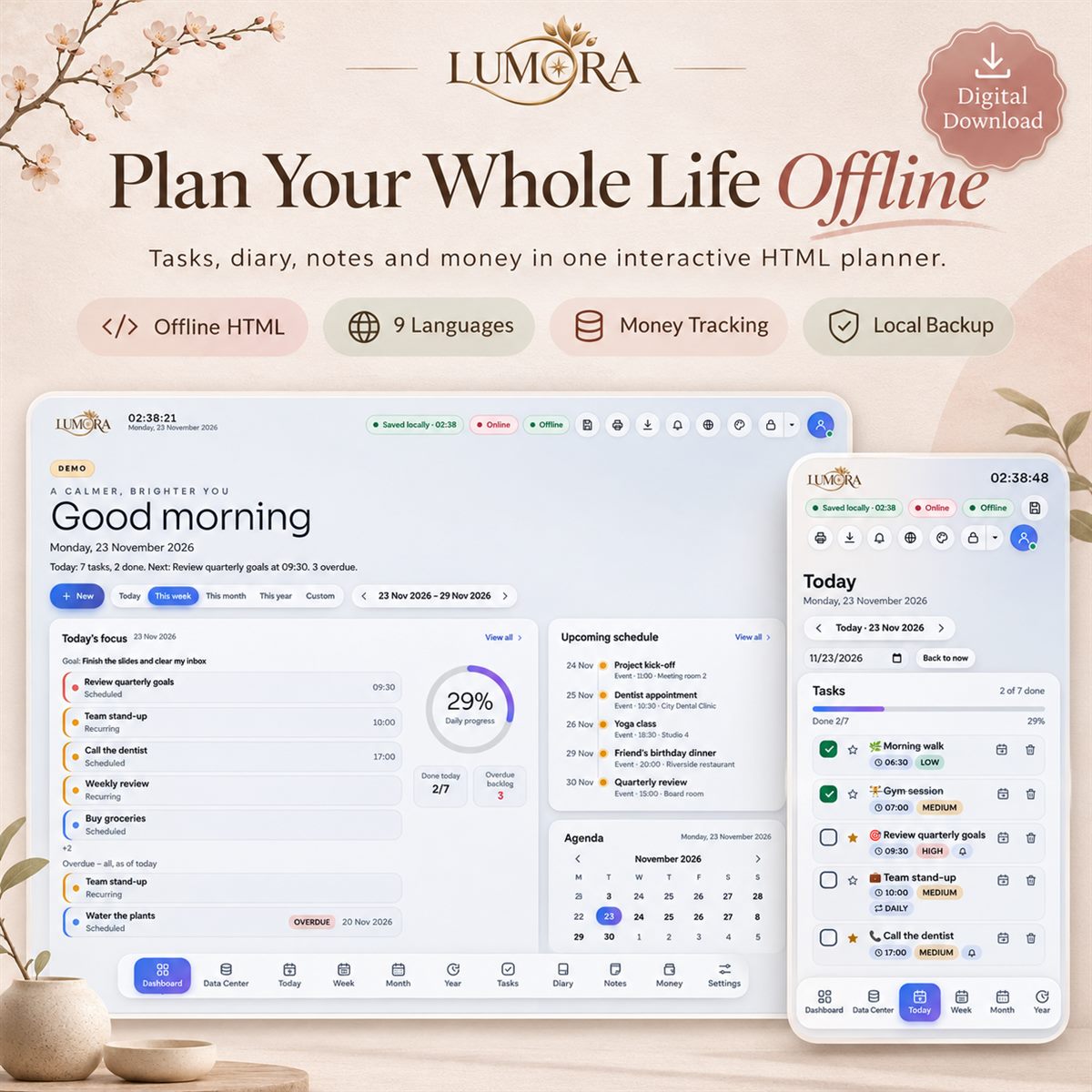
Lumora is an interactive HTML planner that keeps your to-do lists, calendar, reminders, notes, diary and personal money records in one workspace — stored in your own browser, with no Lumora account for everyday use.
Instant digital download on Etsy · $12.99 at time of writing · The demo is a limited preview with fictional data.
The problem Lumora is built for
Most people keep their life in too many places: tasks in one app, dates in a calendar, private thoughts in a notebook, spending in a spreadsheet. Many planner apps also want an account, a subscription or a cloud connection before they are useful. Lumora puts daily, weekly, monthly and yearly planning, notes, a diary and a simple money tracker in a single HTML file that runs locally in your browser.
What you can do with Lumora
Plan the day
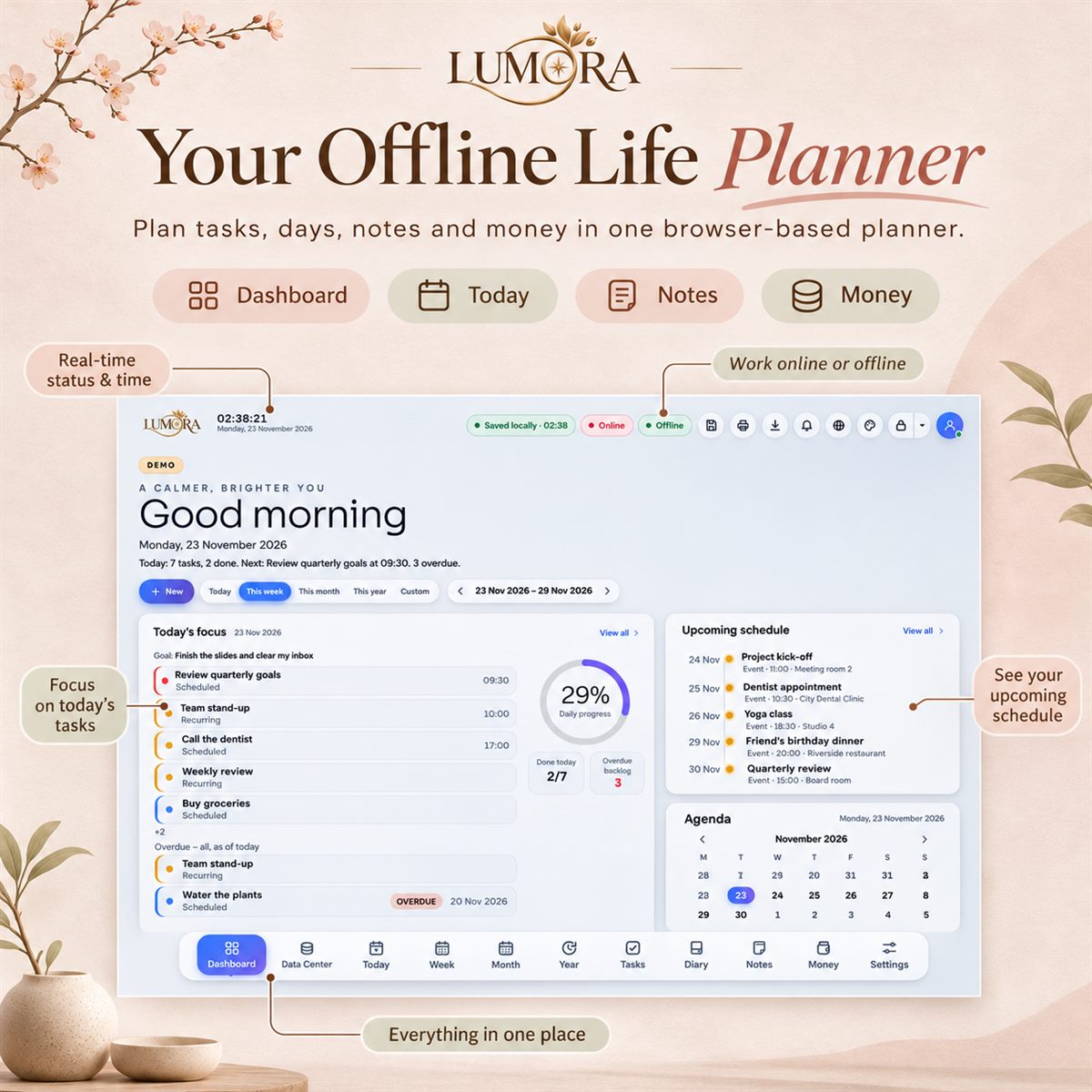
Choose up to three starred priorities, set a main goal, manage tasks, add daily notes and watch your progress ring.
Plan week, month and year
Seven-day weekly board, a monthly calendar with a selected-day agenda, and a twelve-month year overview with goals.
Manage tasks properly
Due dates, High/Medium/Low priority, status, supported repeating tasks, plus search, filters and sorting.
Notes, diary and reminders
Colour-accented notes, a diary with moods and rich-text formatting, supported reminders and optional voice notes where your browser allows.
Track personal money
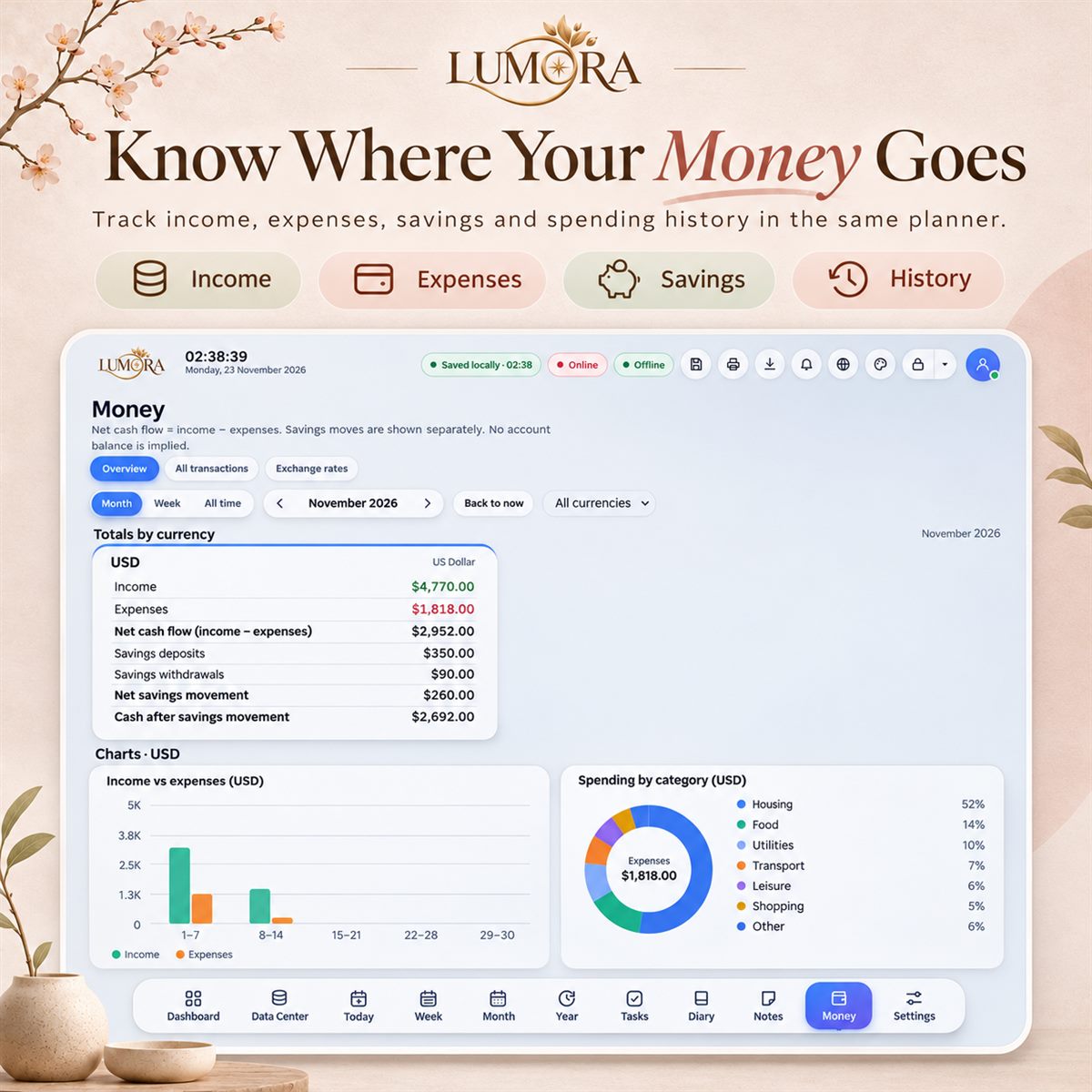
Record income, expenses, savings deposits and withdrawals. See cash flow, spending categories and six-month trends. Exchange rates are entered by you.
Make it yours
Light, Dark or Auto appearance, colour palettes, date/time formats, week-start day, preferred currency and nine interface languages.
See the planner
How it works
- Download and extract the ZIP you receive from Etsy.
- Open the DEMO or BLANK HTML file in a compatible modern browser on a laptop or desktop. Explore with the DEMO, then start your own records in the BLANK edition.
- Capture, plan, review. Enter tasks, events, notes, diary entries and money records, then use Today, Week, Month, Year and the Dashboard to review.
- Back up regularly. Export a backup (encrypted by default where your browser supports it) and import it when moving records. Read the backup guide.
What you receive
One ZIP file containing exactly four files:
- Lumora DEMO Edition — HTML planner filled with fictional sample records.
- Lumora BLANK Edition — the same planner without sample records.
- Buyer Guide — 18-page PDF covering the planner, records, preferences, privacy, backup and usage.
- HTML Product Access & Installation Guide — 7-page PDF on browser, offline and device access.
Compatibility and honest limitations
- Works in a compatible modern browser; designed for offline use on laptop or desktop. The interface is responsive on tablet and mobile browsers, but mobile access and add-to-home-screen options depend on your device, browser and setup.
- Records live in your browser's local storage. There is no automatic cloud sync or shared multi-device storage. Clearing browser data can erase records, so keep backups.
- Reminders are checked while the Lumora page is open and are not guaranteed while the browser is closed.
- Browser notifications, sound alarms, voice recording and encrypted backups depend on device support, permissions and browser context.
- The PIN lock is a local convenience gate, not full device encryption. Money totals are cash-flow records you enter, not a bank balance.
- Digital product only. No resale, redistribution or sublicensing.
Learn more before you buy
Back up an offline browser planner
How to export, restore and move planner data safely.
Track money without a bank login
A simple manual routine for income, expenses and savings.
Do planner reminders work when the browser is closed?
What an offline HTML planner can and cannot do.
Frequently asked questions
Do I need an account to use Lumora?
No. Everyday use does not require a Lumora account. Your planner records are stored in your own browser on your own device.
Does Lumora work without internet?
The supplied HTML file is designed to be opened directly in a compatible modern browser, and core planner functions do not need a server connection.
Does it sync between my phone and laptop?
No. This edition has no cloud sync or shared storage. To move records to another browser or device you export a backup and import it there.
Do reminders work when the browser is closed?
No. Reminders are checked while the Lumora page is open. There is no background service, so missed items are shown when you open it again.
What do I receive after buying?
One ZIP file with four files: the DEMO edition (sample records), the BLANK edition (empty), an 18-page Buyer Guide PDF and a 7-page HTML Product Access and Installation Guide PDF.
Is it a native app from an app store?
No. It is a browser-based HTML product. Mobile use and any add-to-home-screen option depend on your device and browser.
Can I resell or share the files?
No. A standard purchase does not include resale, redistribution or sublicensing.